
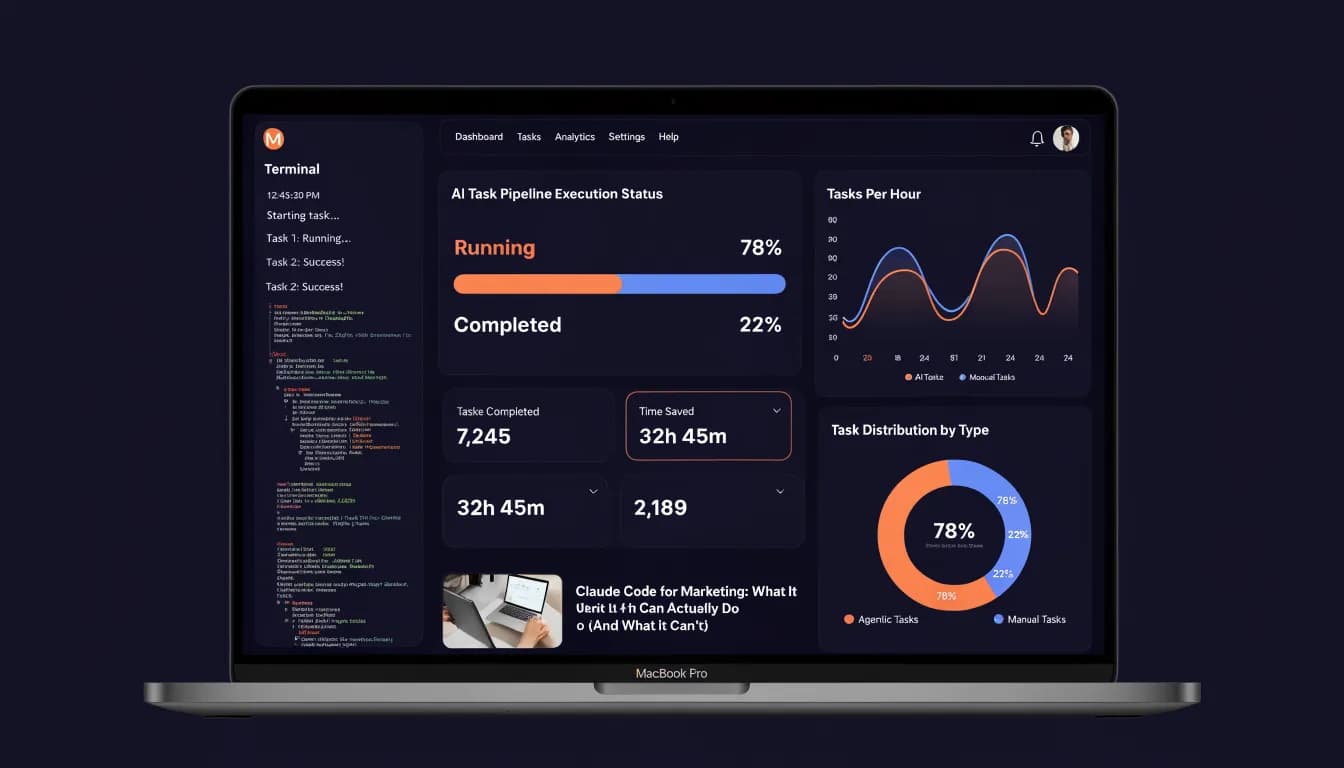
Your marketing stack runs on tools that don't talk to each other. Claude Code promises to fix that — but it runs in a terminal, on your API budget, and assumes you can debug a script. Does that actually work for your team?
There’s a version of this story where Claude Code saves your team 10 hours a week — automating reporting, pulling live competitor data, building custom dashboards you couldn’t afford from any vendor. There’s another version where you spend three days fighting API rate limits and end up back in your spreadsheet. Which version you get depends entirely on what you’re willing to learn, and what you’re not willing to touch.
What Is Claude Code?
Claude Code is Anthropic’s agentic coding assistant. Unlike Claude.ai’s chat interface, it runs in your terminal. You give it a task — “pull last month’s GSC data, format it as a CSV, and flag any pages that dropped more than 20% in clicks” — and it executes that task autonomously. It can read and write files on your machine, run shell commands, call APIs, and chain multiple steps together without you clicking “continue” every few seconds.
It launched in March 2025 as a research preview. As of mid-2026, it’s available via Anthropic’s API and bundled with Claude Pro and Max plans. The model powering it is Claude Sonnet or Opus, depending on your plan.
What makes it different from ChatGPT’s code interpreter or Copilot is the agentic loop. Claude Code doesn’t just suggest code — it runs the code, sees what happened, fixes errors, and keeps going until the task is done or it hits a wall. For marketers who want to understand the broader shift behind these tools, it’s part of a bigger move toward agentic marketing — AI that acts, not just advises.
What Claude Code Can Do for Marketing Teams
Claude Code Marketing Automation: The Real Use Cases
The most valuable thing Claude Code does for marketing teams is eliminate the copy-paste work between tools. Here are the tasks where it actually delivers:
Automated reporting pipelines. You connect Claude Code to your GA4 API, GSC API, and a spreadsheet. Every Monday morning, it pulls the data, calculates week-over-week deltas, flags anomalies, and writes a summary you can send to your client or your CMO. No Zapier. No manual export. No formatting.
Competitive content monitoring. Give it a list of competitor URLs and tell it to check for new blog posts every 48 hours. It crawls the pages, extracts titles and metadata, saves a diff to a file, and sends you a summary. You’ll know when HubSpot or Semrush publishes something new before you’d catch it manually.
Ad copy testing at scale. Claude Code can generate 50 headline variants for a Google Ads test, format them into a CSV that matches your editor’s import template, and flag any that exceed character limits — all in one pass. What would take your team two hours takes four minutes.
Data cleaning and enrichment. You have a lead list from a trade show. Claude Code can cross-reference it against your CRM export, remove duplicates, pull company data from a public API, and output a cleaned, enriched CSV. No manual work, no data entry errors.
Custom Slack or email digests. Connect it to your analytics APIs and it builds a daily or weekly digest — sent via Webhook — with the metrics your team actually cares about. Not the default GA4 dashboard. Your metrics, your format.

Claude Code for SEO: Real Use Cases
SEO is where Claude Code’s file-handling and API skills translate most directly to marketing value. The tasks that took an SEO specialist half a day are the ones Claude Code handles in minutes.
Bulk page audits. Point it at your sitemap and GSC data. It cross-references indexed pages against your CMS export, flags pages with zero impressions in the last 90 days, identifies pages ranking positions 11–20 (low-hanging fruit for optimization), and outputs a prioritized list. A manual audit that takes 3–4 hours gets done in under 10 minutes.
Internal link gap analysis. Claude Code reads your full content library (a list of URLs and their target keywords), then scans each page’s content for missed linking opportunities. It outputs a table: page A should link to page B with anchor text “X.” This is the kind of systematic work most SEO teams skip because it’s too tedious — Claude Code makes it executable.
SERP tracking and change detection. Instead of paying for a SERP tracking tool, Claude Code can query search APIs on a schedule and store position history in a local file. Not as polished as Semrush, but free (minus API costs) and fully customizable.
Meta tag generation at scale. For e-commerce teams or large content sites, Claude Code can read a CSV of product names, categories, and descriptions and generate SEO-optimized title tags and meta descriptions for each — then flag any that exceed character limits and suggest shorter alternatives. Output goes directly into the format your CMS import expects.
The limiting factor in every SEO use case is the same: you need to know how to tell Claude Code what to do. The more specific your instruction, the better the output. Vague prompts produce vague results. This isn’t a tool that replaces SEO judgment — it executes SEO judgment at speed.

Claude Code API Integration: Connecting Your Marketing Stack
This is where Claude Code separates itself from most AI tools. It can authenticate with APIs and chain them together in ways that would normally require a developer.
GA4 + GSC pipelines. Claude Code handles OAuth flows, paginated API responses, rate limiting, and data normalization. You describe what you want; it writes and runs the code to get it. A working GA4 to Google Sheets pipeline takes about 30 minutes to set up the first time.
HubSpot data sync. Pull deal stage data, contact properties, and email engagement metrics on a schedule. Format them into a dashboard-ready dataset. Push updates back to HubSpot properties when conditions are met. This replaces workflows that would normally require a RevOps developer.
Multi-platform ad reporting. Pull data from Google Ads, Meta Ads, and LinkedIn Ads into a single normalized dataset. Claude Code handles the API differences, converts currencies, aligns date ranges, and outputs a unified CSV. Your finance team gets one file, not three.
Webhook triggers. Claude Code can set up simple webhook listeners that fire when certain events happen — a form submission crosses a threshold, a page drops out of the top 10, a competitor publishes a new piece. The alerting happens automatically.
One important caveat: Claude Code writes the code and runs it, but you are responsible for the API credentials, the rate limits, and the output quality. It will make mistakes. It will occasionally write code that calls an API endpoint that no longer exists, or mishandles pagination for a large dataset. You need to understand enough about what it’s doing to catch errors — or at minimum, verify the output before you send it anywhere.
What Claude Code Can’t Do
Honesty matters here, because the hype around agentic AI tools is significant. Here’s where Claude Code falls short for marketing teams:
It’s not a no-code tool. If you’re not comfortable with a terminal window, environment variables, API keys, and reading Python or JavaScript, Claude Code will frustrate you. It abstracts a lot of complexity, but not all of it. You will run into errors that require you to understand what went wrong.
It’s expensive at scale. Claude Pro is $20/month, but serious agentic use hits the API. A complex multi-step task can consume $2–$8 in API credits. Run that 20 times a day and you’re looking at a meaningful monthly spend. For small teams, this adds up faster than expected.
It doesn’t have persistent memory by default. Each Claude Code session starts fresh. It doesn’t remember what it built last week or why you structured a pipeline a certain way. You need to maintain documentation yourself, or set up a project context file that it reads at the start of each session.
It’s not a campaign manager or a creative director. Claude Code can build the infrastructure to pull data and format reports, but it doesn’t replace strategic judgment. It won’t tell you which campaigns to cut, which content angles to pursue, or how to position your product. That’s a different kind of AI assistance.
Debugging can be slow. When something breaks — and it will — Claude Code can get stuck in loops trying to fix an error. A task that should take 10 minutes can turn into 45 minutes of back-and-forth if the underlying API is behaving unexpectedly or your data has edge cases it didn’t anticipate.
Claude Code vs. Cursor vs. n8n: Which One Fits Your Marketing Team?
These three tools get compared constantly in the vibe-coding space. They’re different products solving different problems.
Claude Code is a terminal-based agentic assistant. You give it a task in plain language, it writes and executes code to complete it. Best for: one-off or periodic data tasks, custom scripts, API integrations that don’t justify a full workflow tool. Requires: comfort with terminal and basic debugging.
Cursor for marketing is an AI-powered IDE (code editor). You write code with AI assistance — autocomplete, inline suggestions, contextual chat. Best for: developers or marketers who want to write and maintain their own tools. Requires: you want to be in the code, not just describe what you want.
n8n for marketing is a visual workflow automation platform. You connect nodes in a UI, trigger flows on schedules or events, and chain tools together without writing code. Best for: teams that need repeatable automated workflows — form to CRM to Slack to email. Requires: more setup time for complex logic, but no coding required.
Gemini CLI is Google’s answer to Claude Code — a terminal-based agent powered by Gemini 2.5. It launched in June 2025 and follows the same pattern: describe a task, it writes and runs code. For pure marketing automation, Claude Code’s output quality is currently stronger, particularly for complex multi-step tasks. Gemini CLI has a more generous free tier, which makes it worth testing if cost is your primary concern.
The pattern that works for most marketing teams is: use n8n for recurring automated workflows, use Claude Code for one-time data tasks and custom scripts, and use Cursor if you have a developer on the team who wants to build internal tools.
None of these replace a dedicated marketing intelligence platform. They require either technical skill or significant setup time. For a 5-person marketing team that doesn’t have an in-house developer, the overhead of managing three separate tools — each with its own authentication, debugging, and maintenance requirements — often outweighs the productivity gain.
Claude Code vs. Allable: The Honest Comparison
If you’ve landed on Claude Code as a way to add agentic AI to your marketing workflow, you should know the full cost picture before you commit.
| Dimension | Claude Code | Allable |
|---|---|---|
| Setup time | 15-20 hours (first working workflow) | 0 — browser-based, no install |
| Monthly cost | $20 Pro + $50-150 API usage | Free forever / €31 Pro / €91 Business |
| Technical requirement | Terminal, API keys, CLI, config files | None |
| Marketing-specific features | Manual configuration required | Built-in: SEO, content, campaigns, social |
| Persistent memory | Manual (you maintain CLAUDE.md) | Built-in project context |
| Best for | Developers who also do marketing | Marketing teams without dev support |
The math matters. A marketing team of three, running Claude Code workflows daily, typically spends $70–$170/month on API credits alone — before accounting for the 15–20 hours each person invests to get their first reliable workflow running. Allable’s Pro plan at €31/month includes the AI, the marketing modules, and zero setup time.
That’s not an argument against Claude Code. If you need maximum flexibility and custom integrations, Claude Code delivers things Allable doesn’t. But if your goal is faster marketing output — not a more configurable developer environment — the tradeoff is worth examining honestly.
How to Get Started with Claude Code for Marketing
If you want to test Claude Code on a real marketing task before committing, here’s the minimum viable setup:
Step 1: Get access. Claude Code is available with a Claude Pro subscription ($20/month) or via the Anthropic API. For most marketing experiments, Pro is sufficient to start.
Step 2: Install Claude Code. It installs via npm (npm install -g @anthropic-ai/claude-code). You’ll need Node.js on your machine. Takes about 5 minutes if you’ve done it before, 30 minutes if you haven’t.
Step 3: Start with a contained task. Don’t start with “build me a full reporting dashboard.” Start with: “I have a CSV of 200 blog post URLs and their GSC click data. Find the 20 posts with the highest impressions but clicks below 50. Output them sorted by impressions descending.” That’s a task with clear inputs, clear outputs, and no external API dependencies.
Step 4: Add one API at a time. Once you’re comfortable with file-based tasks, add one API. GSC is a good first choice — the API is well-documented, OAuth is straightforward, and the data is immediately useful for marketing decisions.
Step 5: Document what works. Create a context.md file in your project folder. Write down what Claude Code built, what inputs it expects, and what the output looks like. Read this file at the start of each session. This is your substitute for persistent memory.
The honest ramp-up time for a marketer with no coding background: 2–4 weeks before you’re getting consistent, reliable output. For someone with basic scripting experience: 3–5 days.
Is Claude Code Worth It for Your Marketing Team?
Claude Code is worth it if: you have at least one person on the team who can debug a Python script, you have specific recurring data tasks that are currently manual, and you have budget for API usage (budget for $50–$200/month depending on usage intensity).
It’s not worth it if: your team has no technical background, you need something that works reliably without supervision, or you want a tool that improves your campaigns rather than just extracting data from them.
The gap Claude Code fills is a very specific one — the space between “I need a developer to build this” and “Zapier can handle this.” If your task is too complex for a no-code tool but not complex enough to justify a developer sprint, Claude Code is a strong option.
But most marketing teams don’t live in that gap. They need a tool that helps them create better content, run smarter campaigns, and make faster decisions — not a terminal window and an API key.
That’s the difference between Claude Code and a platform like Allable.ai. Allable gives your team the same agentic AI capabilities — automated research, content creation, competitive analysis, multi-channel campaign management — without requiring a single line of code. You describe what you need in plain language; the platform handles the execution. The Free plan gets you started immediately. Pro is €31/month. Business is €91/month.
Claude Code is a powerful tool for the right team. Allable is built for everyone else.
Frequently Asked Questions
Is Claude Code Free — or Will It Eat Your API Budget?
Claude Code is not free. You need either a Claude Pro subscription ($20/month) or Anthropic API access. API-based usage is billed per token — complex agentic tasks can cost $2–$10 per run, depending on the length of the task and the model you’re using (Sonnet is cheaper than Opus). For light experimentation, Pro is sufficient. For production marketing workflows running daily, expect $50–$200/month in API costs on top of the subscription fee.
There is no free tier for Claude Code itself. A free Claude.ai account does not include access to the terminal-based agentic tool.
Claude Code vs. Cursor — What’s the Real Difference?
Claude Code and Cursor are both AI coding tools, but they serve different workflows. Claude Code is agent-first: you describe a task, it executes it autonomously. Cursor is editor-first: you write and maintain code, with AI as your co-pilot inside the IDE.
For marketers, the distinction matters. If you want to describe “pull this data and format it this way” without touching the code, Claude Code is the better fit. If you want to build and maintain a custom marketing tool — and you’re comfortable writing code — Cursor gives you more control. Most marketers with no coding background find Claude Code less intimidating for one-off tasks, while developers prefer Cursor for anything they’ll maintain long-term.
Claude Code vs. ChatGPT — Which Is Better for Marketing Automation?
They solve different problems. ChatGPT (including its Code Interpreter / Advanced Data Analysis mode) is a sandboxed environment — it can run code in isolation but can’t execute commands on your machine, connect to your local files, or authenticate with external APIs natively. It’s excellent for data analysis tasks you can do within a conversation window.
Claude Code runs on your machine with full file access and API connectivity. It can actually automate tasks end-to-end — pulling live data, transforming it, saving outputs, and triggering external services. For real marketing automation, Claude Code is significantly more capable. For quick one-off data questions where you upload a CSV and ask for analysis, ChatGPT’s code interpreter is simpler and cheaper.
The Bottom Line
Claude Code is a genuine step forward for marketing teams that want to automate data-heavy work without hiring a developer. The use cases are real — automated reporting, SEO audits, competitive monitoring, API integrations — and the output quality is high when you give it clear, specific instructions.
The honest limitation is the same one that limits every developer tool when used by non-developers: the floor is higher than it looks. You need enough technical understanding to set it up, debug it, and trust the output. For teams that have that, Claude Code is worth exploring. For teams that don’t, the alternative isn’t to skip agentic AI — it’s to use a platform that was built for marketers, not for engineers who happen to do marketing.